Custom Themes
Apart from the built-in themes, you can create your own themes as a Koel Plus user. To do so, go to the Profile & Preferences page and click on the "Themes" tab. Here you'll find a list of custom themes you've created in addition to the built-in ones. Clicking on the "New Theme" button will open the "New Theme" form:
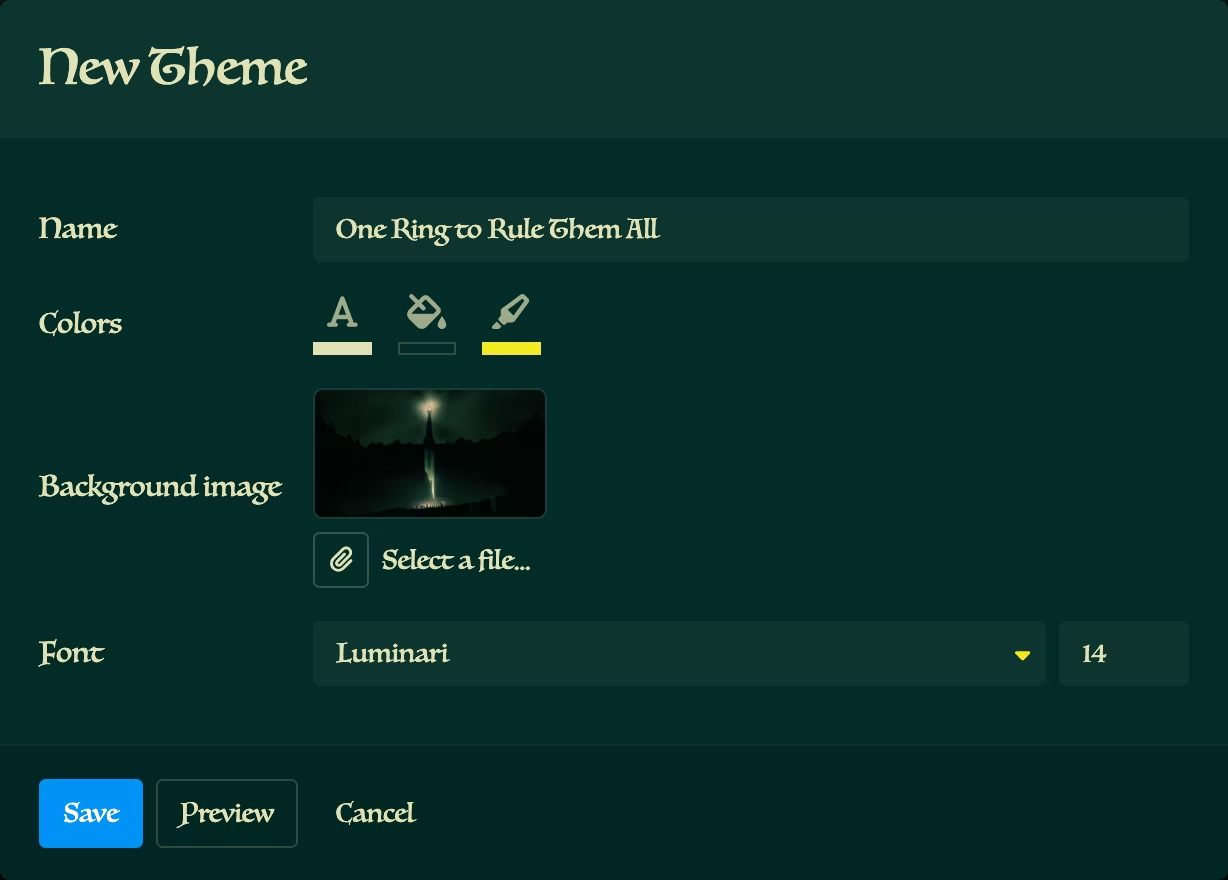
A theme in Koel consists of these simple properties, each customizable via the form:
- Foreground color
- Background color
- Highlight color
- Background image (optional)
- Font family
- Font size
local-fonts Permission
On a supported browser, Koel will ask for permission to use your local fonts. In case of unsupported browsers or denied permission, a list of common fonts will be used instead.
Every change will be reflected immediately. Moreover, clicking the "Preview" button will temporarily hide the form, giving you a full preview of your theme. Clicking "Save" will save your theme, apply it, and add it to the list of custom themes, when clicking "Cancel" will discard your changes and revert to the previous state.